Product tour
See how InspectAssets now connects asset evidence, explicit inspection uncertainty, remediation, compliance obligations, decision reporting, and enterprise structure across multi-site operations.
An end-to-end evidence and assurance workflow
InspectAssets now covers the full path from asset context and field evidence through uncertainty review, management decision, remediation, compliance, and controlled evidence sharing.
- Asset Health, Inspection Coverage, and Evidence Confidence remain separate.
- Unresolved limitations remain visible until they are verified or deliberately accepted.
- Corrective action, compliance evidence, and decision reporting stay linked to the originating record.
- Asset identity & lifecycle
- Criticality & consequence
- Decision Readiness
- Explicit assessment states
- Photo / note requirements
- Failure evidence rules
- Offline queue
- QR asset lookup
- Coverage & evidence review
- Management uncertainty
- Carried-forward limitations
- Ageing & ownership
- Coverage-aware approval
- Clarification / reinspection
- Risk acceptance review
- Assigned ownership
- Proof of fix
- Verification gate
- Obligation Engine
- Evidence register
- Recurring due dates
- Decision PDF
- Evidence packs
- External evidence portal
- Organisation structure
- SSO / API / webhooks
- Subscription allocation
One estate. Clearer decisions.
See how InspectAssets brings portfolio signals, asset context and evidence into view so teams can act with confidence. This campaign uses real local product footage from a synthetic tenant. Read the voice-over script.
Watch the narrated product overview (1 minute 28 seconds)
A slower tour shows more context across the site, asset, condition, risk, action and assurance screens. Read its voice-over script.
Watch the detailed live walkthrough (1 minute 56 seconds)
The longer browser recording shows the controls and screen changes in more detail, including roles, data onboarding and reports. It is silent, with on-screen explanations and a written walkthrough.
Follow the estate from structure to decision
These original screenshots were captured from a local demo tenant with illustrative feature records. Open any image to inspect the full screen.
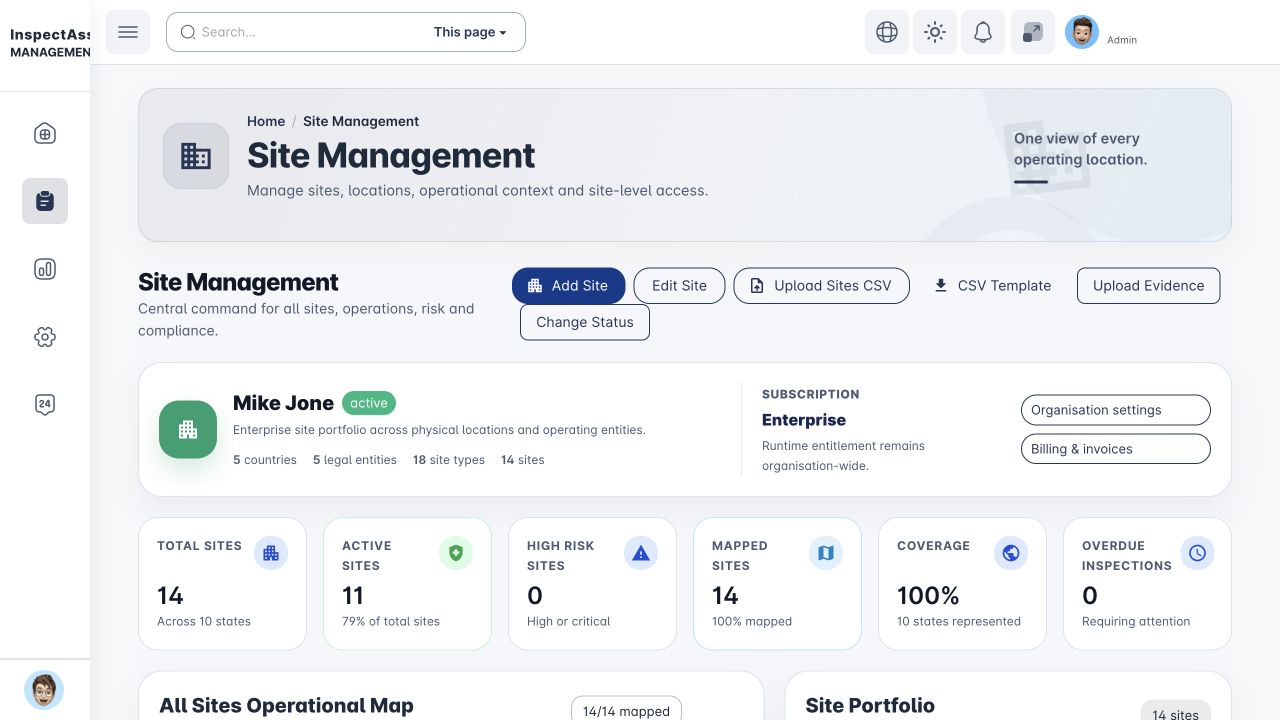
Structure a multi-country estate
The local demo combines the existing Nigerian sites with clearly named synthetic regional operations. Country, legal entity, site type and subscription context remain visible at portfolio level.
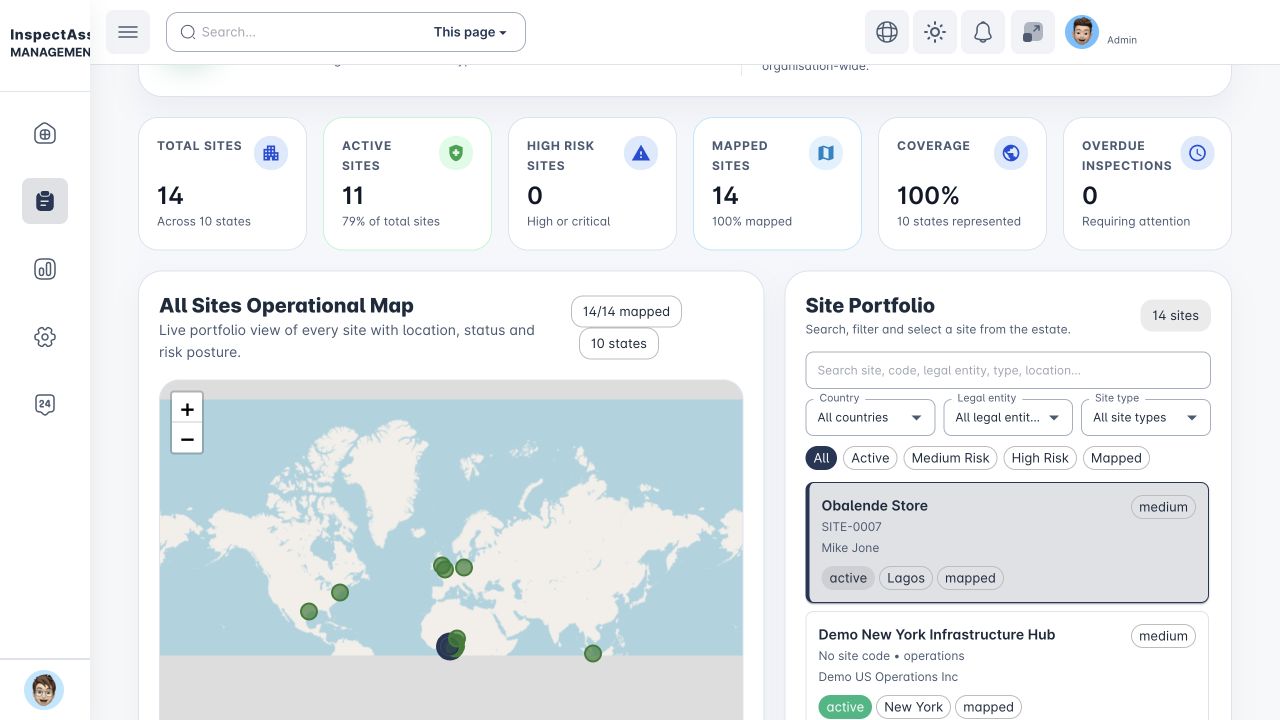
See locations on one operational map
A single mapped view shows where the estate operates. Country and legal-entity filters focus the portfolio without changing a user's authorised scope.
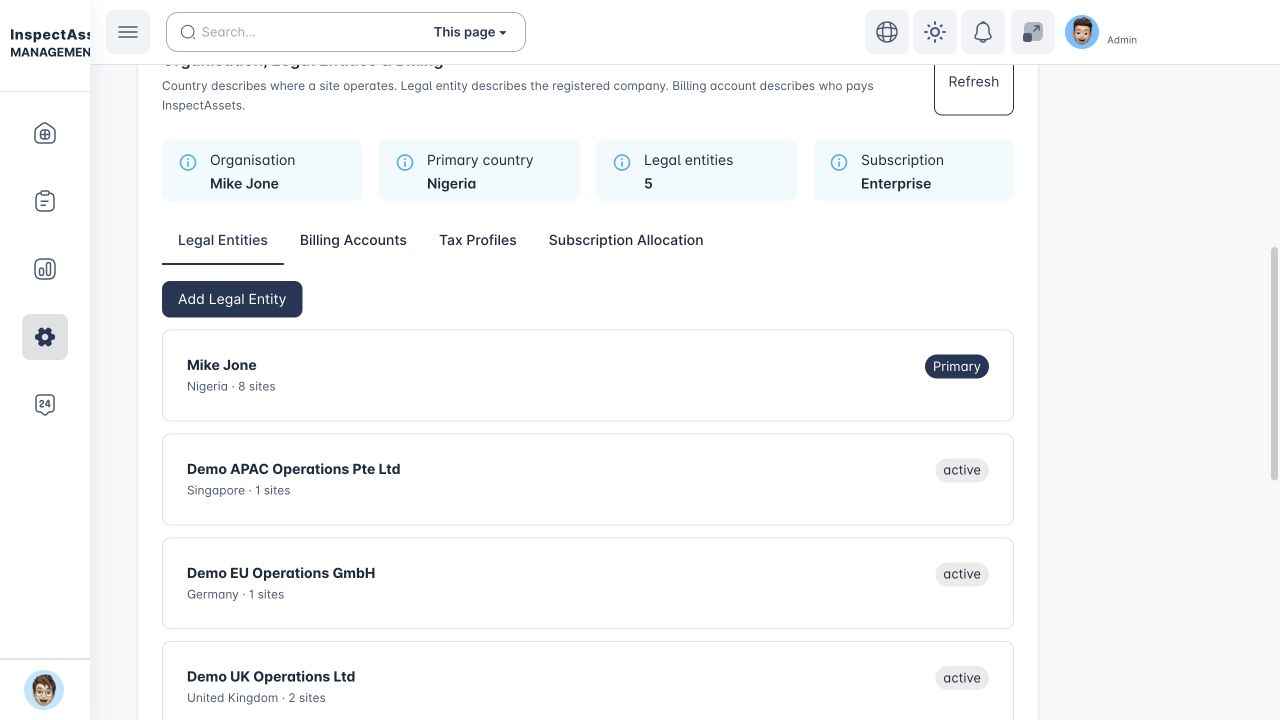
Govern legal entities separately from sites
A site records its physical country; a legal entity records the registered operator. Billing accounts and subscription allocation are separate organisation controls.
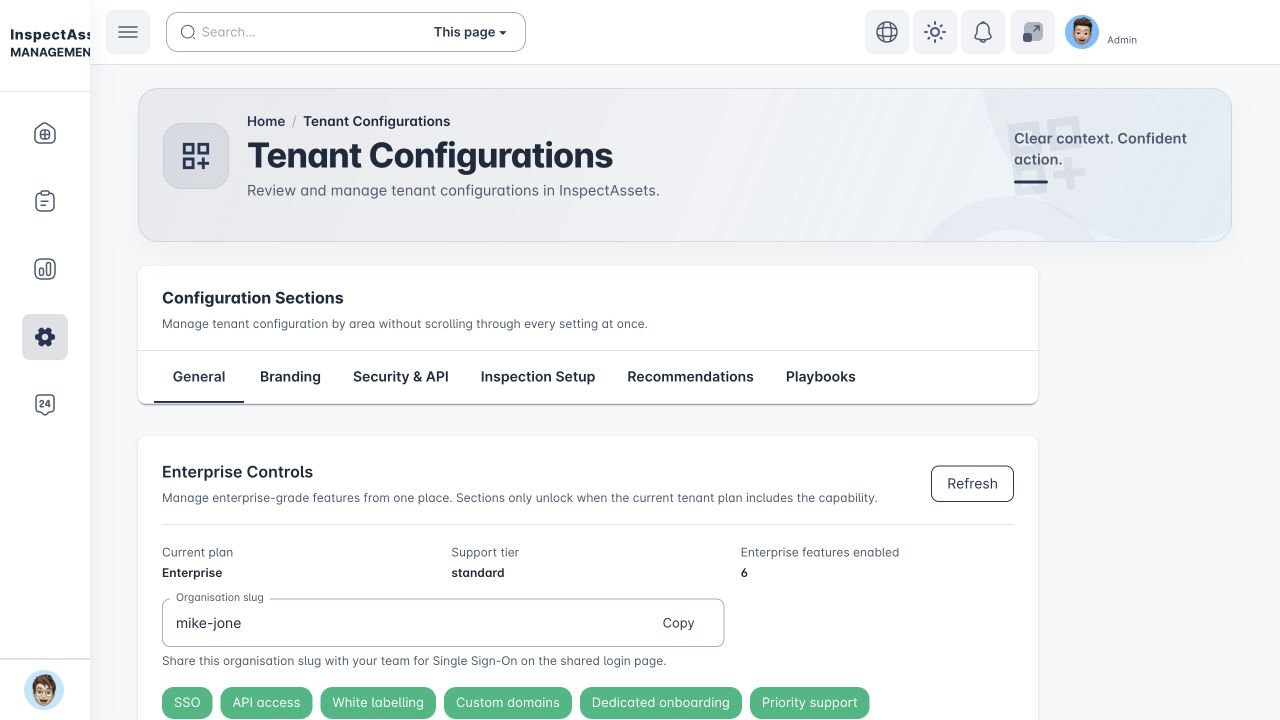
Configure enterprise controls
Organisation settings bring identity, API, branding and domain controls together when enabled for the tenant. Access is still governed by plan and permission.
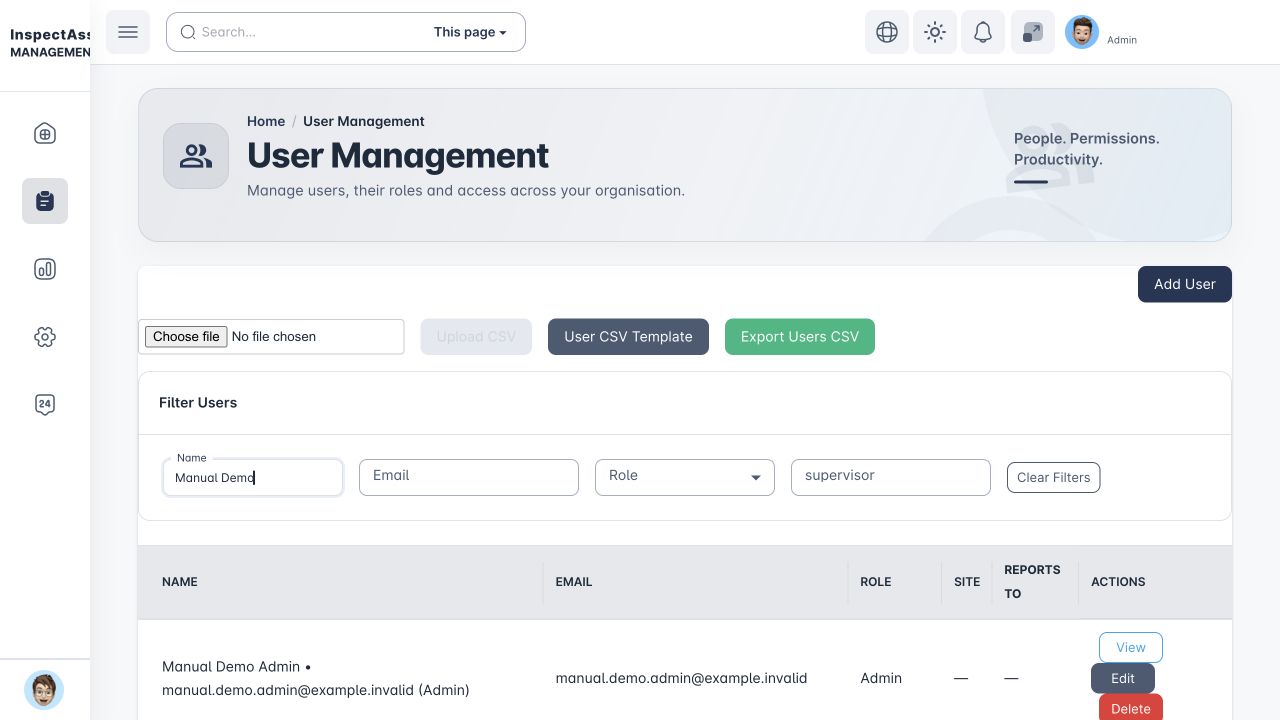
Assign people by responsibility
Give each role the work and evidence it needs, then apply assignment scope so users see the relevant part of the organisation.
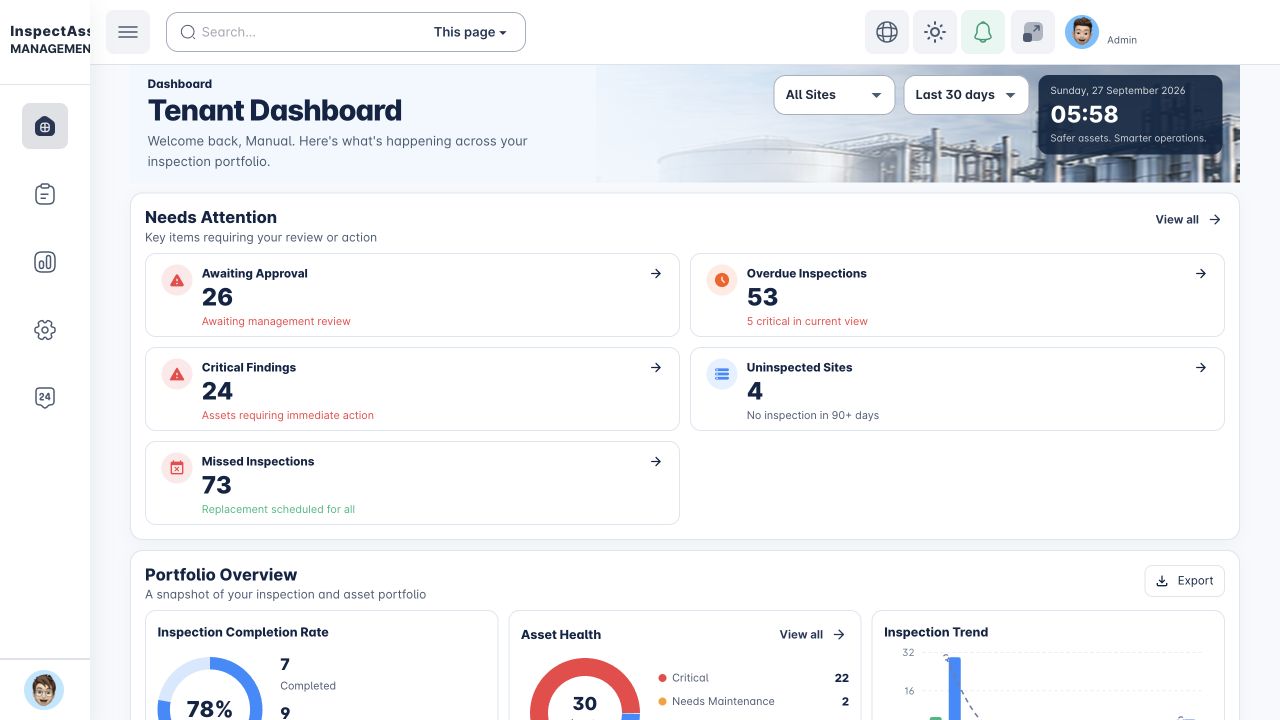
See what needs attention
Start with a scoped dashboard. An approval count, overdue inspection or critical finding leads to the underlying record, so the team can act on evidence rather than a headline number.
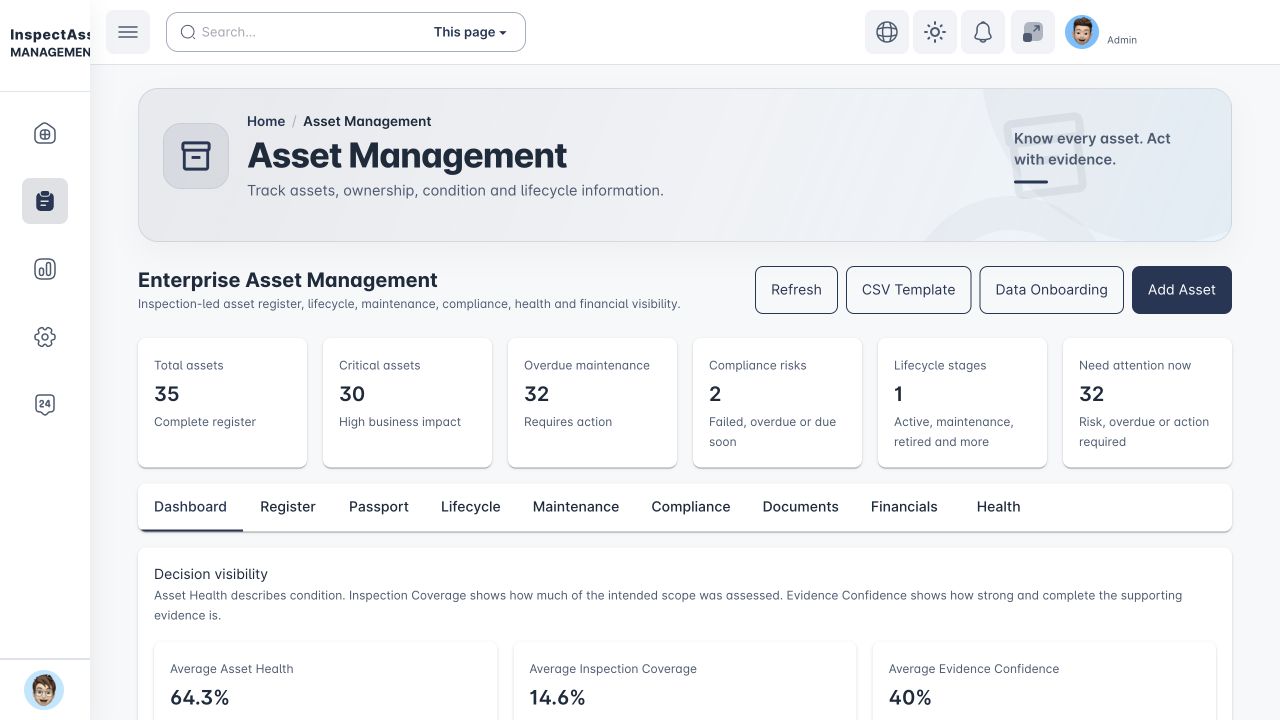
Build the asset evidence base
Register assets at their sites and keep lifecycle and criticality context together. Asset Health, Inspection Coverage and Evidence Confidence stay separate because incomplete inspection is not proof of good condition.
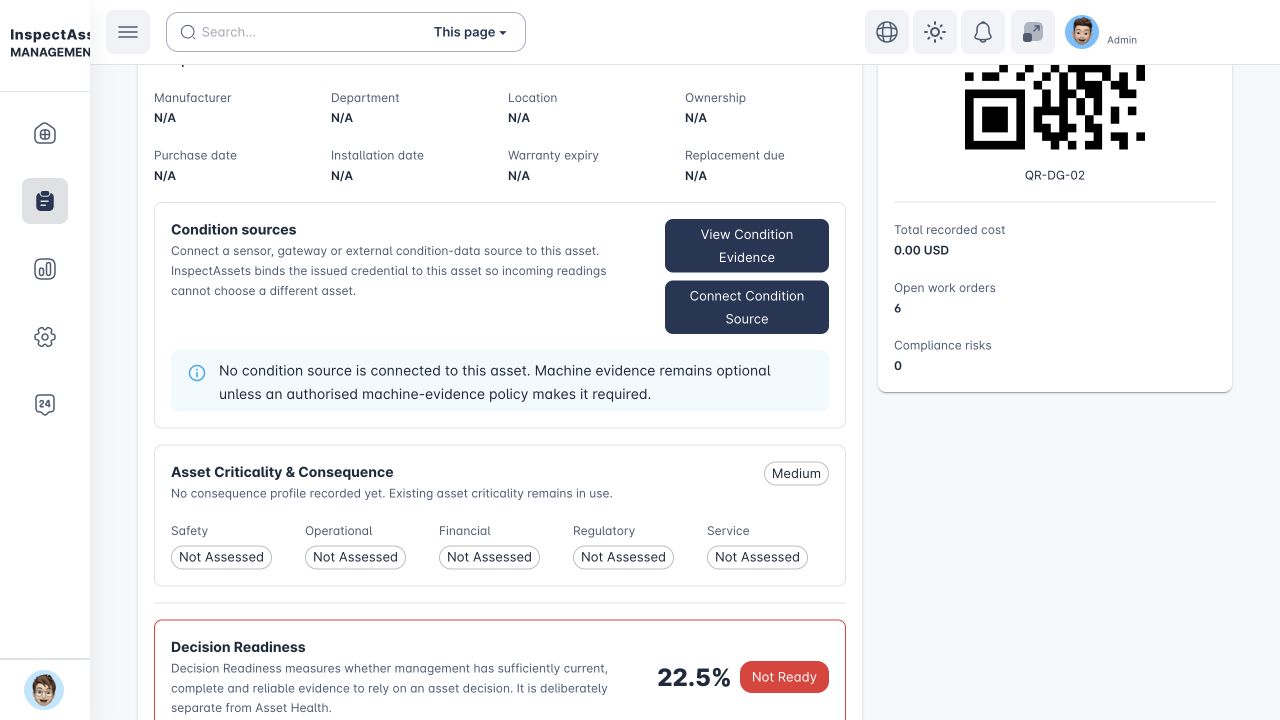
Open the asset evidence passport
The passport gathers asset identity, inspection and lifecycle context, open work and available condition evidence around one controlled record.
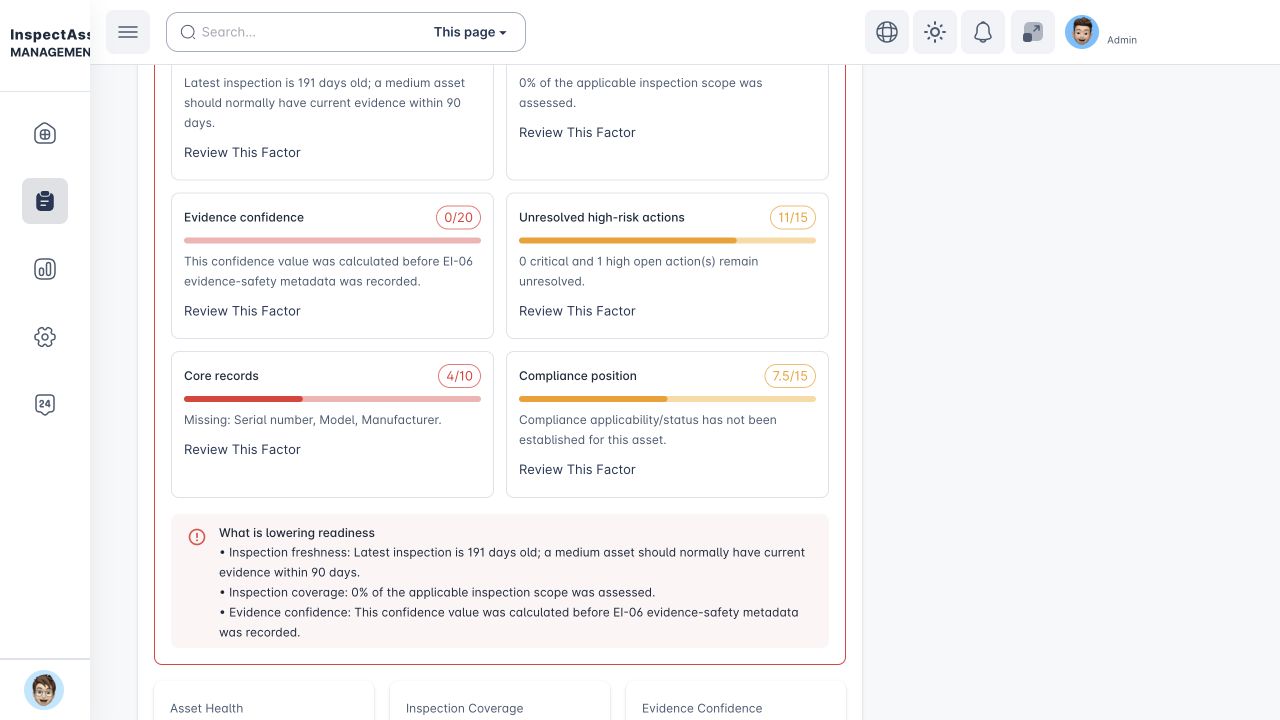
Check decision readiness
Decision Readiness exposes missing evidence and unresolved work alongside the current asset record before management acts on it.
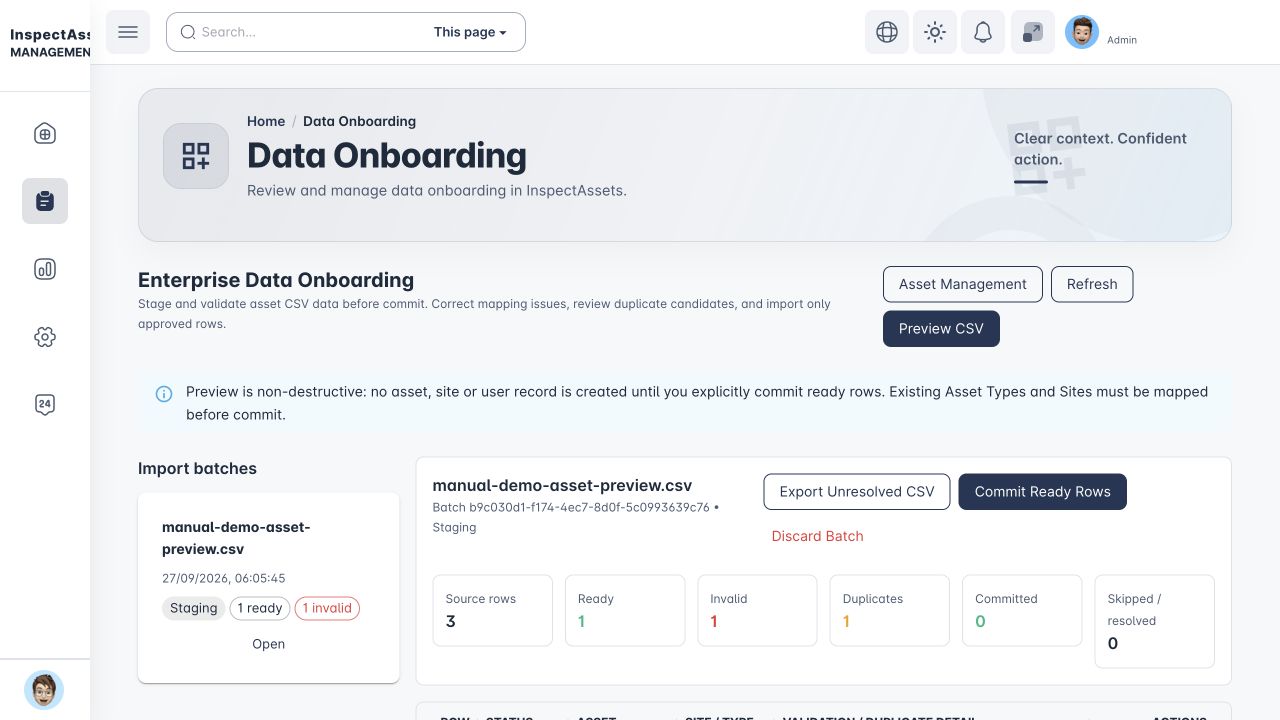
Stage and validate imported assets
Preview asset CSV files before committing. The staging view separates ready rows from duplicate candidates and mapping errors so the team can reconcile data before it enters the asset register.
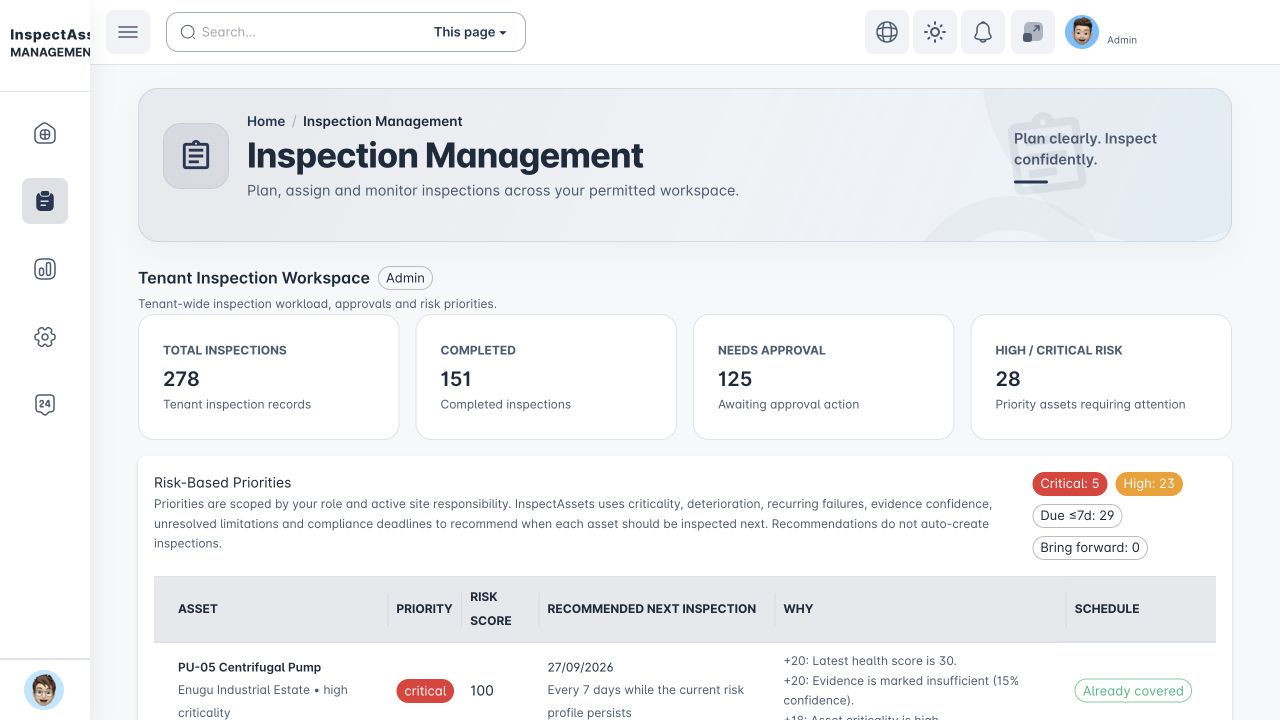
Plan and prioritise inspections
Inspection Management brings the schedule, workload and risk-based priorities into one workspace. Inspectors then assess each applicable item, capture required evidence and review coverage before submission.
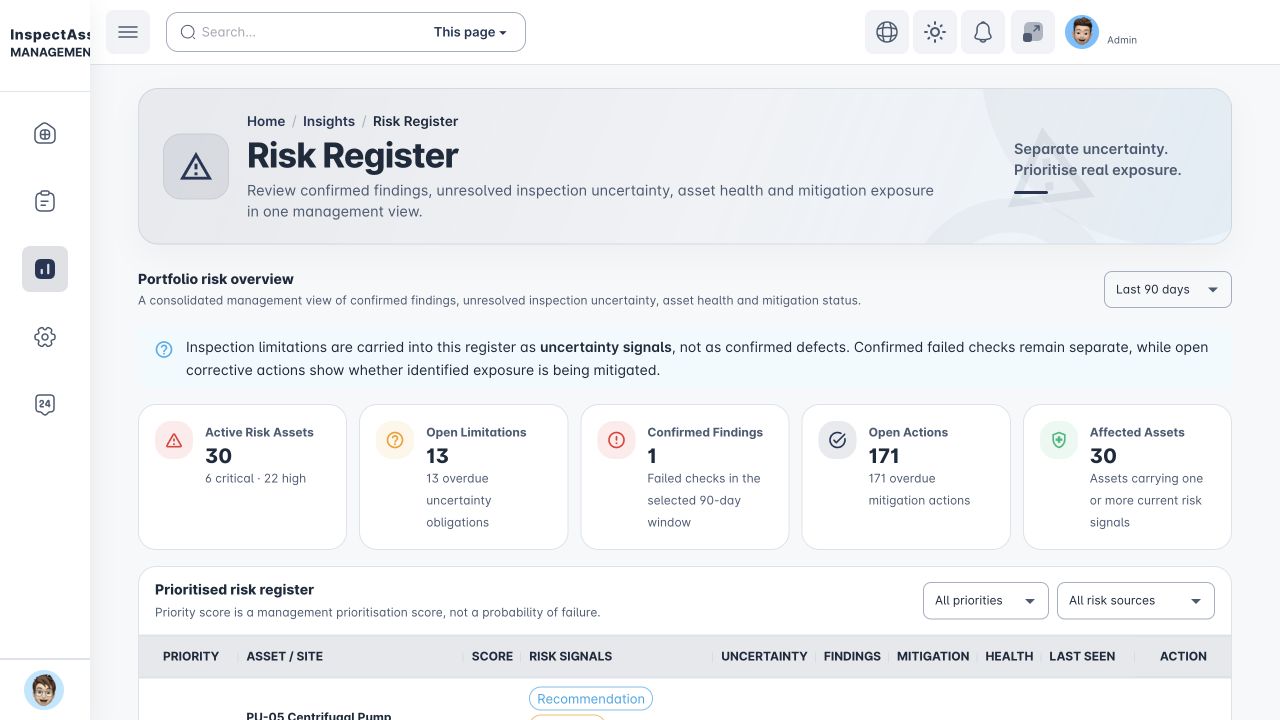
Keep uncertainty visible
The Risk Register distinguishes a confirmed failed check from an unresolved limitation. Reviewers can see what is known, what still needs assessment and which open actions are mitigating exposure.
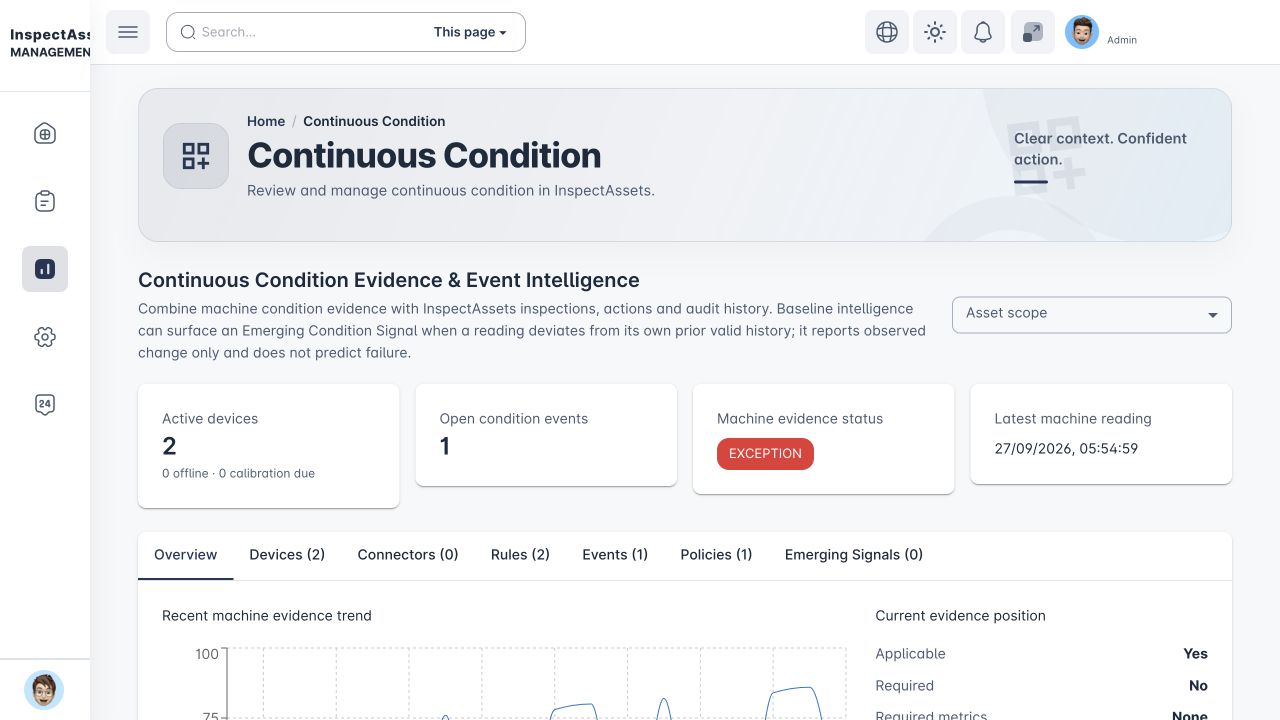
Track condition between inspections
When connected evidence is enabled, device readings and configured thresholds sit alongside inspection history. A machine exception becomes a traceable event for review.
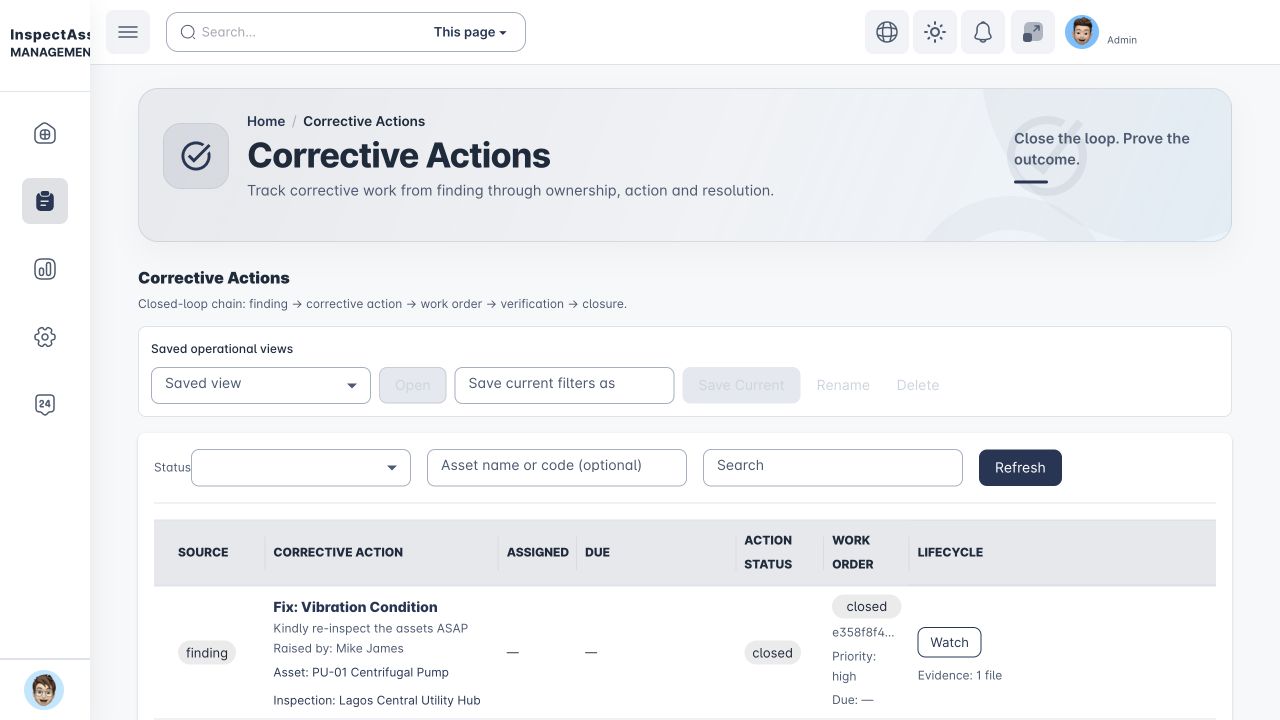
Close findings with proof
Assign corrective work, track due dates, upload proof of fix and verify the result. Closure follows the evidence and approval steps configured for the tenant.
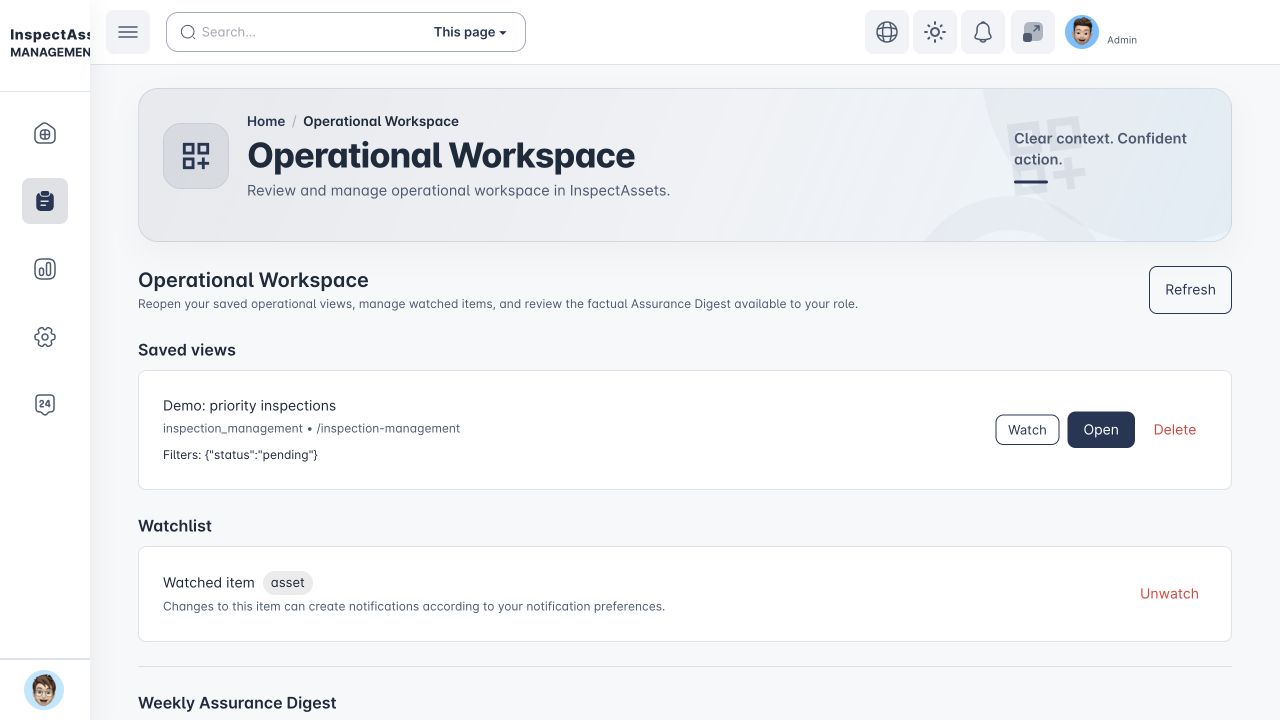
Return to priority work
Saved views and watchlists help teams return to important records. The assurance digest summarises attention signals without replacing the underlying evidence.
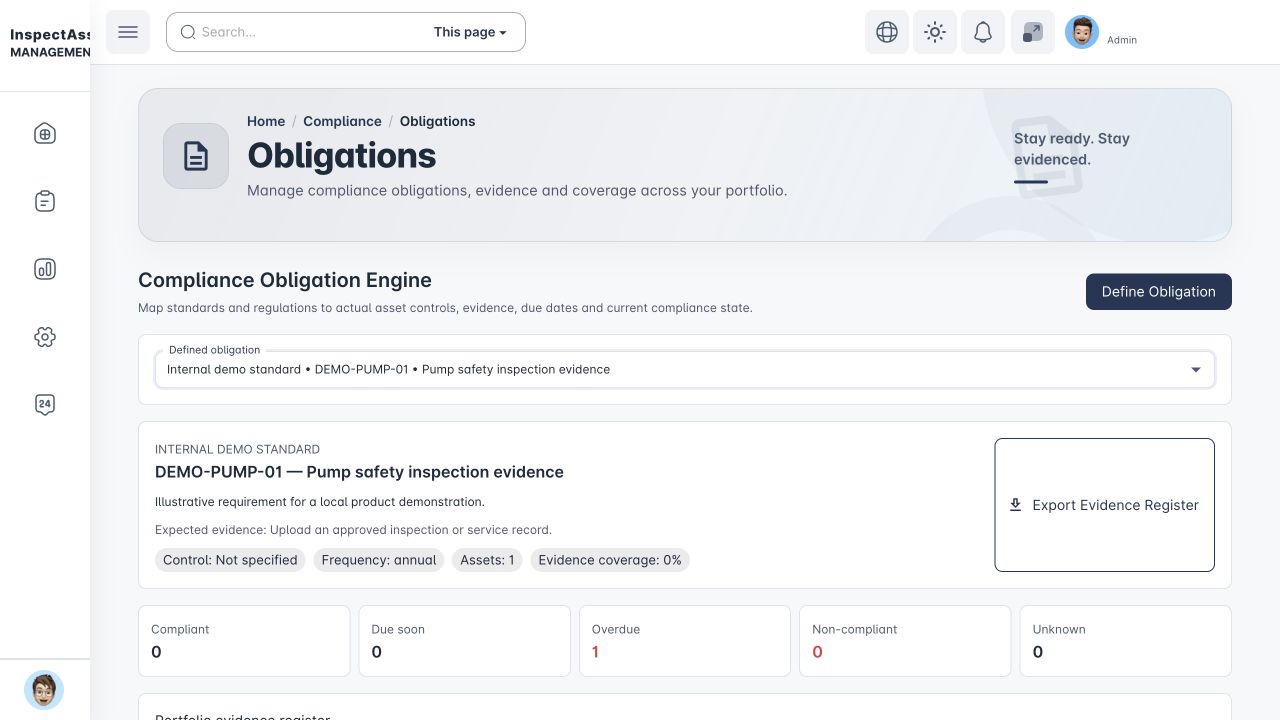
Keep obligations tied to evidence
Map obligations to the applicable assets, expected evidence and due dates. This local demo uses an illustrative internal requirement, so its overdue state is a workflow example rather than a regulatory finding.
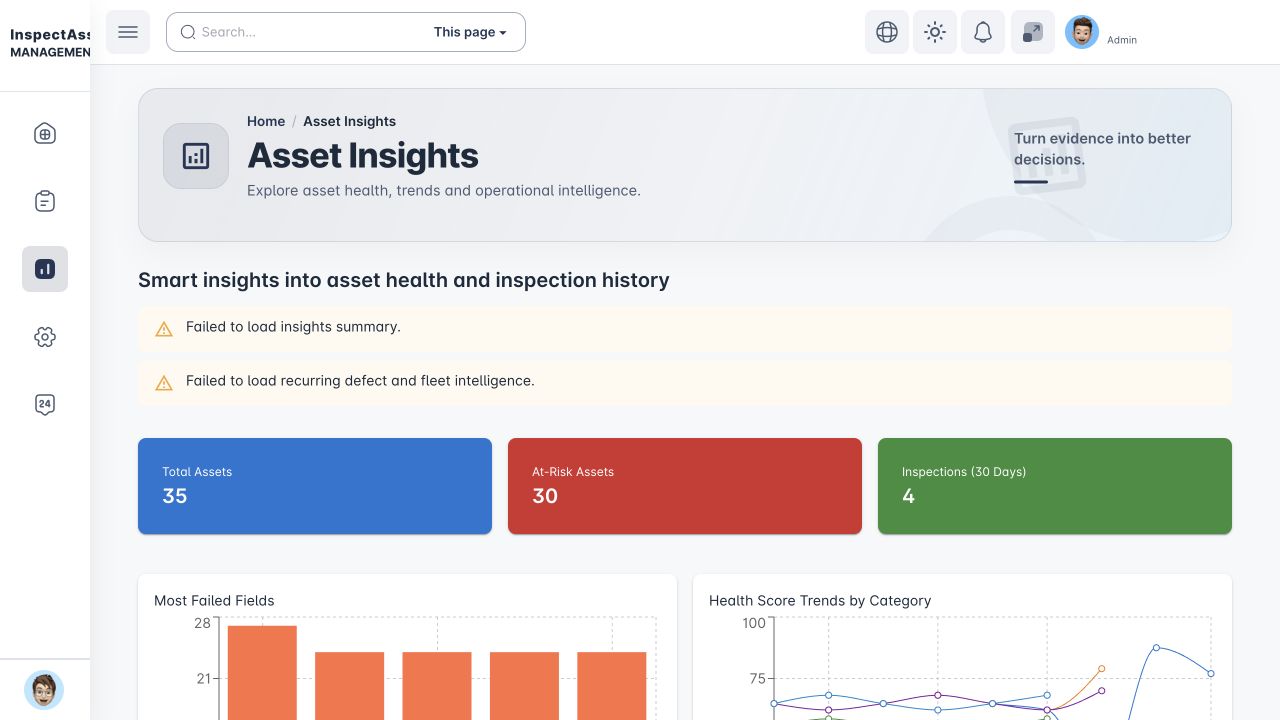
Compare portfolio signals
Use insight views to identify patterns in health, inspection activity and evidence quality, then inspect the records behind a change or outlier.
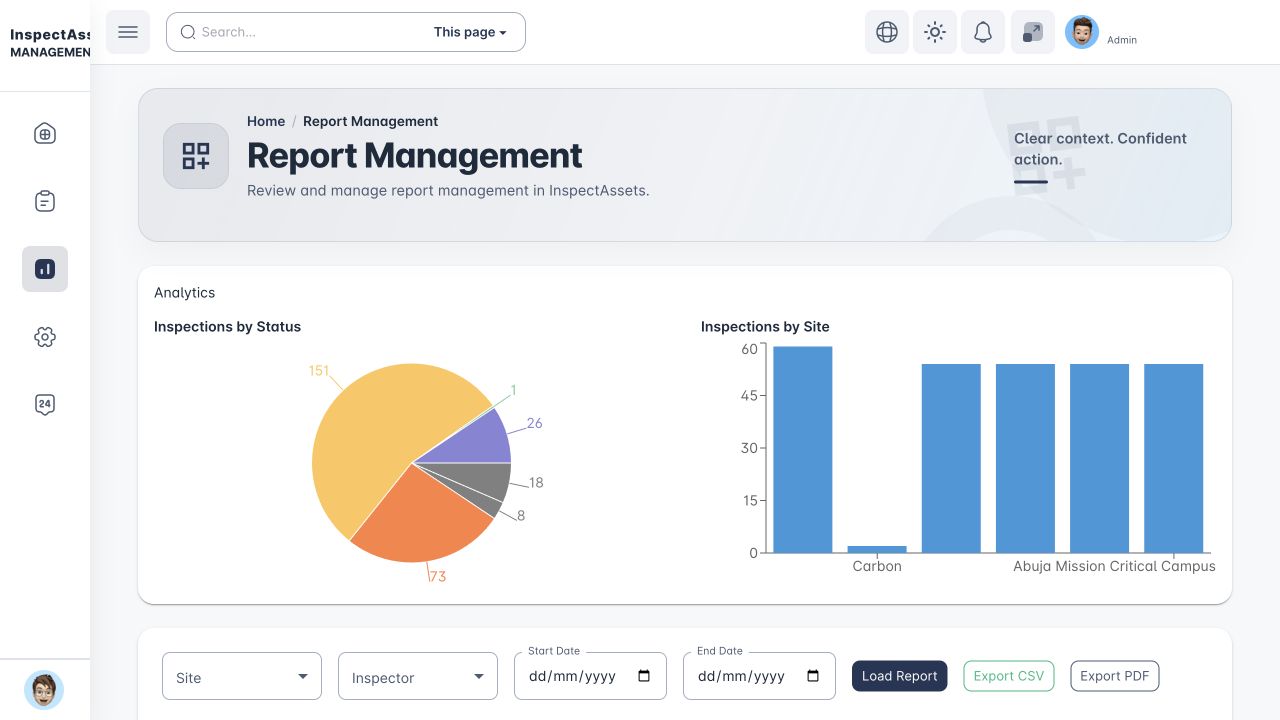
Report and share the decision
Filter the records in scope, check their status and coverage, then export a decision report, audit pack or evidence pack. External sharing can be limited to selected evidence rather than full app access.
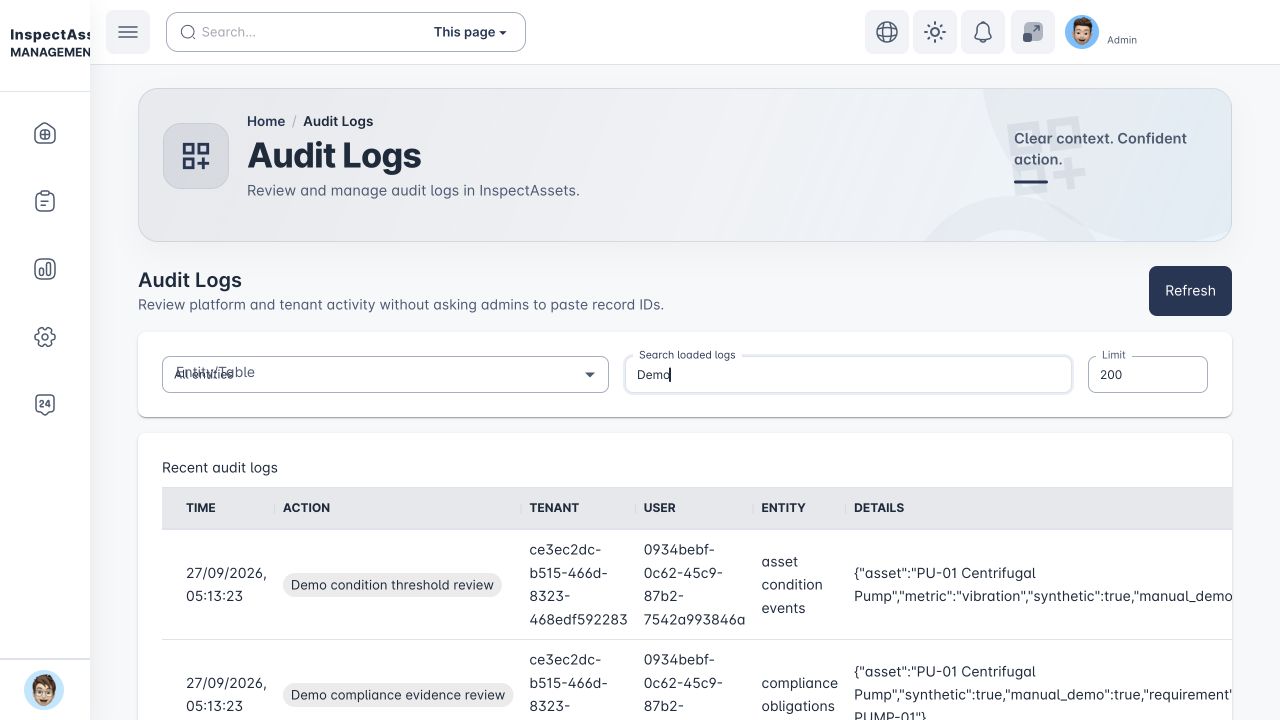
Trace the history
Authorised reviewers can trace who changed what and when. The example events shown here were generated solely for the local demo.
From operating structure to decision-ready evidence — in one governed workflow
The workflow keeps asset context, field execution, uncertainty, management decisions, remediation, compliance, and proof connected from start to finish.
- 01
Define
Set sites, legal/operating context, assets, criticality, templates, compliance obligations, responsibilities, and access boundaries before work begins.
Built for control and speed - 02
Inspect
Capture field values, photos, notes, and explicit states such as Inaccessible or Unable to Test, with offline and QR workflows where enabled.
Built for control and speed - 03
Monitor
Where continuous condition evidence is enabled, bring machine-condition signals into the asset record, detect abnormal conditions, and surface condition events for review or action.
Built for control and speed - 04
Assure
Review findings together with Inspection Coverage, Evidence Confidence, previous limitations, and required-evidence gaps before deciding what the result proves.
Built for control and speed - 05
Resolve
Approve, return for clarification, request reinspection, accept a limitation with a review date, or create corrective work with proof-of-fix verification.
Built for control and speed - 06
Prove
Use Decision PDFs, audit packs, evidence packs, asset passports, and controlled external evidence portals to preserve the decision record.
Built for control and speed
Ready to replace fragmented inspections with one controlled workflow?
Start with a 1-month free trial on your selected paid plan, or share your asset types, approval flow, and rollout scope for a guided walkthrough.
Have a question? Contact us or email [email protected].